What are you converting?

Accurate conversion software used by leading companies






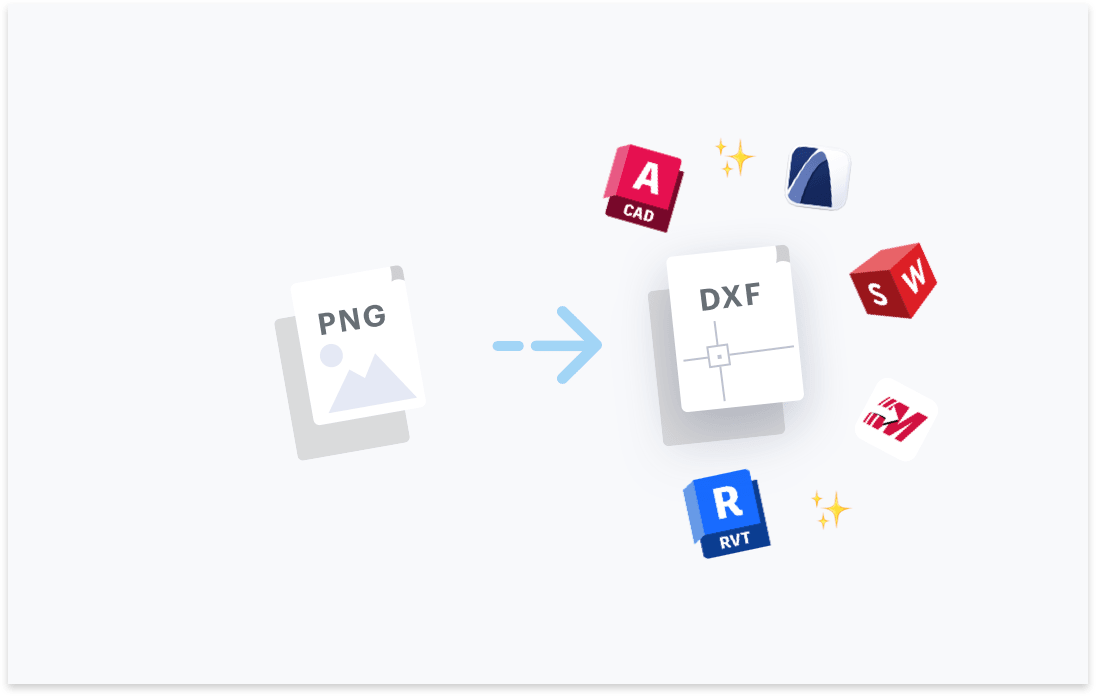
Transform your PNG files to DXF. Try free with Scan2CAD's free trial. Convert text and images in your PNG to fully editable DXF files, compatible with any CAD software.




Convert text in your images to text objects. Editable in your CAD software.

Layers in your PDF, DWG, DXF files will be maintained.
Elements in your image will be converted to their CAD object equivalent.

Ensure your converted DXF and DWG are perfectly to-scale.

“Scan2CAD offers a great way to speed up the process of converting raster images into vector images. The text recognition feature is quite powerful even managed to recognize some handwritten text! Even when I fed it deliberately awkward images, it produces some impressive results”
Rose Barfield - Bricsys / BricsCAD


To convert your PNG images to DXF you will need professional-grade CAD conversion software such as Scan2CAD.
Scan2CAD converts your PNG images to proper CAD DXF files with all objects, line work and text, editable in your CAD software.
You will be able to edit your DXF in any common CAD software including AutoCAD, Revit, Solidworks, ArchiCAD, Vectorworks and any other software which supports DXF files.
PNG files are typically higher quality than JPG images. This is because JPG images are designed to be small in file size which is achieved with heavy JPG compression.
Subsequently, PNG images may be easier to convert automatically when compared to JPG images because JPG images might require a small amount of manual editing post-conversion, to fix any issues caused by a distorted image.
Scan2CAD is the world-leading professional grade conversion software. It is generally recommended in the AEC industry as the most accurate CAD conversion solution.
Scan2CAD is a standalone application which you may download on Windows or macOS computers. As the software is standalone and not an extension or plugin it does not require any other CAD software to run.
Yes, that is exactly what Scan2CAD is for. As a raster-to-vector converter, Scan2CAD will convert your scanned technical drawing to a DXF that you may edit in your CAD software. The DXF drawing will contain all of the geometry of your technical drawing as CAD objects.
If your technical drawing also contains text, this will be converted to CAD text which you may edit in your CAD software.
The clarity (also known as 'quality') of your original raster image is an important factor when converting PNG to DXF.
Fortunately, Scan2CAD offers tools to automatically clean your image in order to make it suitable for the most accurate conversions.
Scan2CAD's goal is to reduce the number of hours and budget required to manually trace or edit when converting a file. Therefore, great focus is placed on how best to prepare and convert a raster image during an automatic conversion.
Nonetheless, if you attempt to convert a very poor quality, compressed PNG image, you may expect some level of manual editing after conversion.
In order for the drawing in your PNG to exist in a CAD DXF file, a conversion must take place. Whether that conversion is using standalone conversion software or using a simple raster-to-vector converter built into some CAD drafting applications.
Scan2CAD allows you to define the thickness of the lines in your drawings that you wish to identify and convert.
After conversion is complete you may define the scaling of the new CAD DXF file in Scan2CAD by using either the DPI of the original PNG or by using a measurement reference. With both scaling methods, Scan2CAD will write the scaling data into the DXF file. This will be read by all common CAD applications which support DXF files.
Yes, you may use Scan2CAD's Batch Convert feature to automatically convert all of your PNG images to DXF in a single click.
With the Batch Conversion feature you will define an 'input' and 'output' folder. All of your PNG files in the 'input' folder will be converted to DXF and exported into your chosen 'output' folder.
If you want a more powerful tool for converting multiple files, you may try Scan2CAD's Automation feature enabling you to utilize simple scripts to automate any feature of Scan2CAD and convert thousands of files in a single click.
If you have already created your PNG image we do not recommend that you make any changes before importing the PNG into Scan2CAD for conversion.
Scan2CAD has built-in tools for automatically cleaning your image in order to achieve the highest-quality conversions.
Alternatively if you are creating the PNG images when scanning a paper drawing, we recommend that you scan to a lossless compression level and opt for a resolution of 300 to 500 DPI.
Yes, as Scan2CAD is a standalone application you may utilize it with any workflow you currently have.
For those who wish to opt for a more technical option, they may choose to integrate Scan2CAD's conversions with their workflow using Scan2CAD's Automation scripts meaning that you could trigger conversions seamlessly in your current software.
Download Scan2CAD to convert your PNG files to DXF
Scan2CAD is copyright and a registered trademark of Avia Systems.
Headquartered in Worcester, United Kingdom. Registered in England & Wales, company no. 7557200.
More information: Legal Security Minimum Requirements